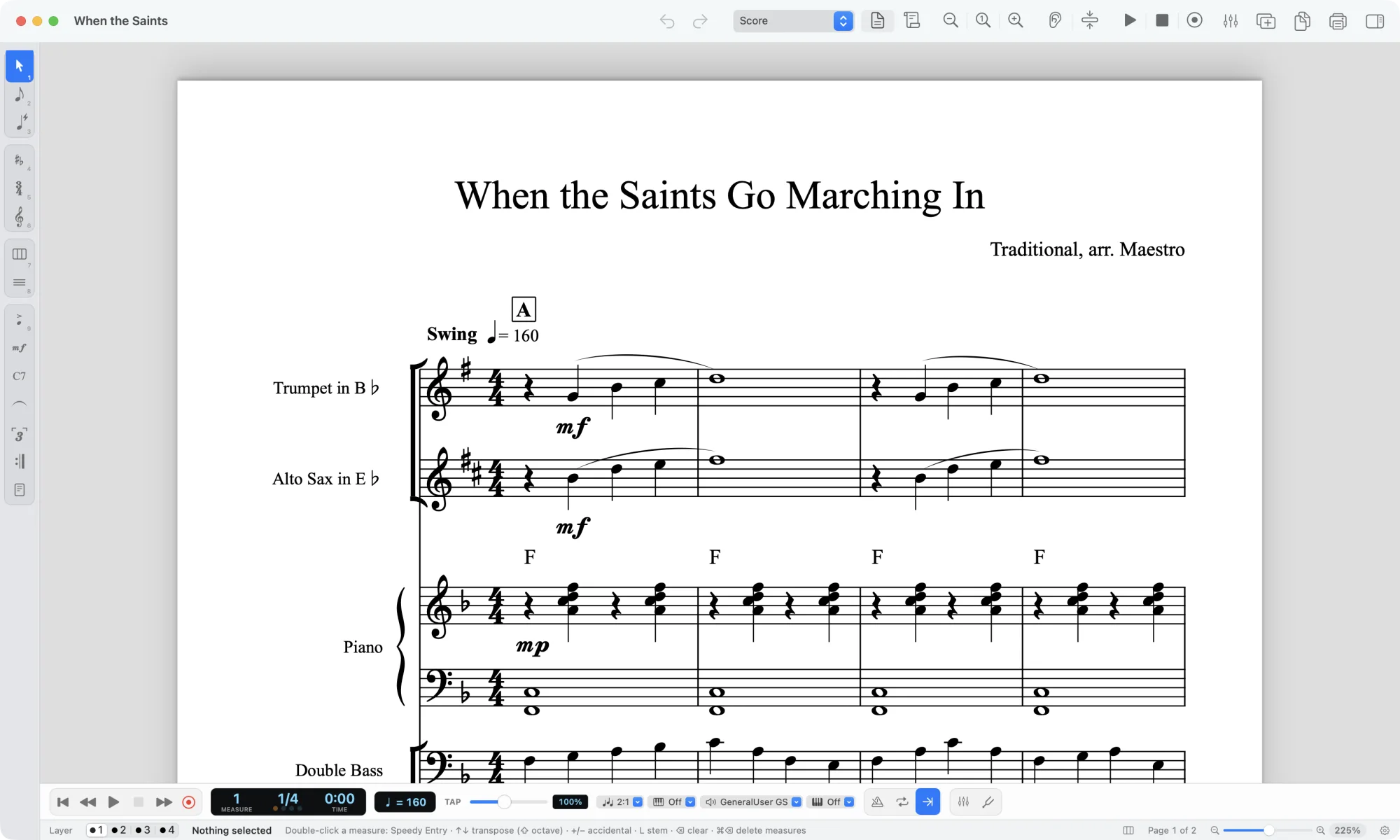
Maestro is a free notation app built for people coming from Finale, and Scoring Notes has now published a full hands-on review after an earlier first look. The short version: it opens .musx and .mus files, it clones Finale's Simple and Speedy Entry closely enough that long muscle memory still works, and its layout and engraving are not yet fit for the music stand. It runs on macOS 13 Ventura or later and 64-bit Windows 10 and 11, and it is still in beta: the first public version appeared on September 29, 2026, and the reviewer tested version 0.9.77 on a Mac on October 12, noting the version number will almost certainly be higher by the time you read it. If you are weighing up free music notation software because Finale went away, this is the most useful thing published on the subject this month.
Why this matters if your job is getting a score out of a recording
Most of our readers do not start from a notation file. They start from an audio file: a live bootleg, a session rough mix, a YouTube rip of a tune their band wants to play. The pipeline runs audio, then stems, then notes, then a notation file, then layout and editing. Maestro sits at the last two stages, and only if the file is a Finale file.
That is still relevant, because a lot of working arrangers and teachers have a folder of Finale files they cannot open. If the only copy of a chart lives in .musx and the machine that ran Finale is gone, a free app that reads the file and gives you the notes back is worth having, even if the page looks wrong. The review is clear that the vast majority of notation and text data imports correctly, and that the app raises an alert listing any problems it hit while interpreting the file. That is the right behavior: tell the user what broke instead of silently dropping a tuplet.
Where it does not help is the front of the pipeline. Maestro does not take audio. It has no stem separation and no audio-to-MIDI. If your source is a recording, you still need to transcribe the song, separate the mix first with the stem splitter when it is busy, and use the audio to MIDI converter when you want to edit the performance in a DAW before it ever becomes notation.
What it changes in practice, and what it does not
The review is specific about what works and what does not, and the split is clean enough to plan around.
| Area | What the review found |
|---|---|
| Note entry | Simple and Speedy Entry are solid clones, most key commands intact, including 5 for a quarter note |
| MIDI and mic input | Live recording from a MIDI keyboard, described as more accurate than HyperScribe, with an intelligent piano split; Tempo Tap; recording from the computer microphone |
| File import | Opens .musx and .mus, imports the vast majority of notation and text data, lists problems in an alert |
| Fonts | SMuFL only, Bravura as default rather than Finale Maestro; recognizes only Regular, Bold, Italic and Bold Italic; does not see fonts enabled by third-party font managers outside system font folders |
| Layout and engraving | Systems keep the Finale arrangement, but staff and system positions are off and have to be dragged; very few dialogs to define, alter or position things |
| Tuplets | Did not work as the reviewer wanted, particularly in Simple Entry |
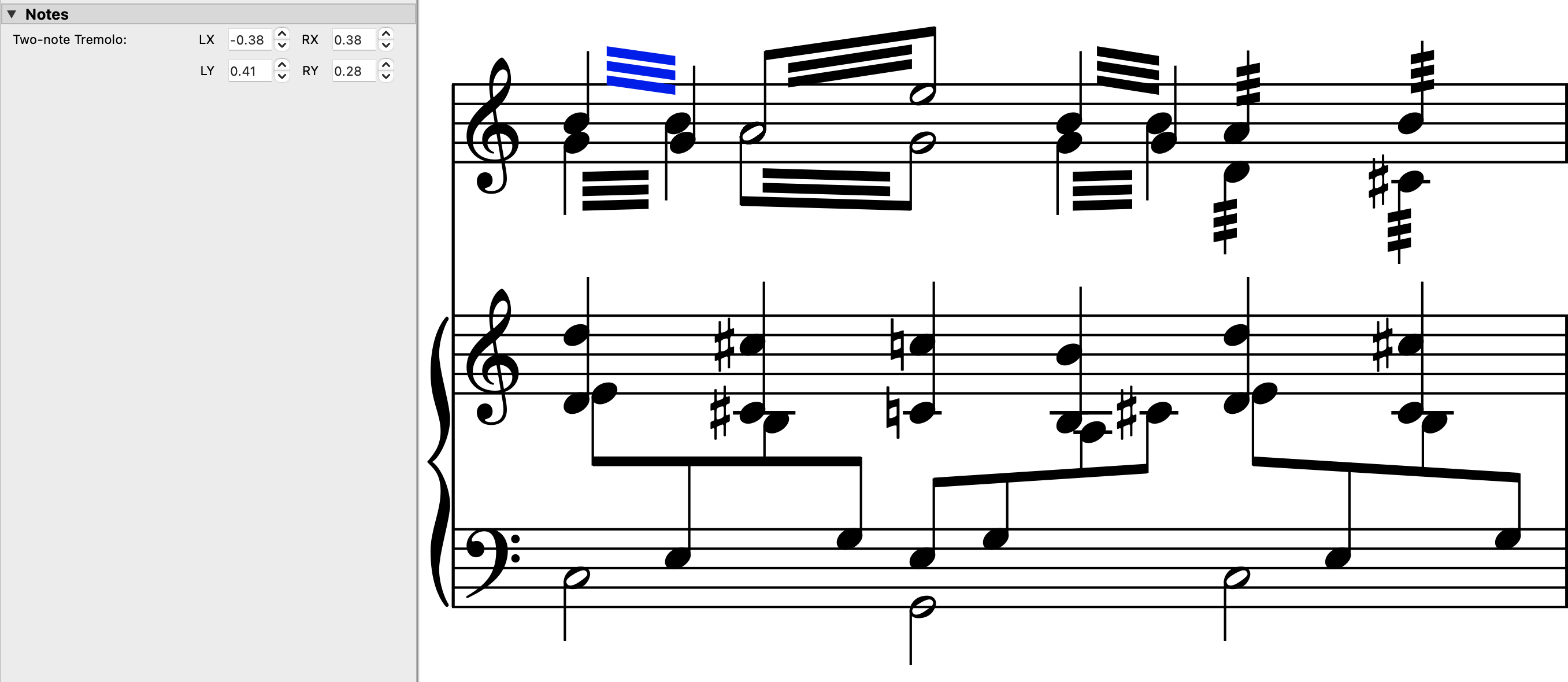
| Round trip | Exports back to .musx; some elements survive the trip even when Maestro displayed them wrongly, but some notes a second apart got squished to the same horizontal position and some text lost capitalization |
The practical reading: use Maestro to get notes out of an old file, then finish the engraving somewhere else. The reviewer says as much, suggesting people may use it for input and export to another notation app to finish. That is a sensible division of labor and it is how a lot of people already work with any first-pass tool.
What it does not change is the part that decides whether a score is usable: the notes themselves. If the notes came from a machine transcription of a busy mix, the layout problems in Maestro are the second thing you fix, not the first. Get the rhythm and the pitches right, then worry about spacing.
Our view
Two things stand out.
The first is the speed of response. The reviewer reports that when he hit a problem, he contacted the developers and they fixed most of the issues with a new build the same day. For a beta, that is the single most encouraging fact in the piece, more than any feature list. A notation app lives or dies on the long tail of odd files, and a team that turns fixes around in a day is a team that can plausibly get to a finished engraver.
The second is the font limitation. SMuFL only is the right long-term call, and Bravura as the default is defensible. But an app that recognizes four font styles and cannot see fonts installed by a font manager will produce text that looks wrong on a printed part, and text is where a lot of Finale files carry their information: tempo words, rehearsal marks, performance notes, lyric verses. If you have a house style built on a specific text face, expect to redo it.
The open questions are the boring ones that decide adoption. Does it export MusicXML? The review confirms .musx in and .musx out, and says nothing about MusicXML, which is the format that would let you hand a file to MuseScore, Sibelius or Dorico without going back through Finale. Does the round-trip damage get worse on large scores, or was the squished-note problem specific to that file? How does it handle parts extracted from a score, which is where most engraving complaints actually live? None of these are answered yet, and none of them are answered by a version number going up.
Who should care: arrangers and copyists with a stack of Finale files and no working copy of Finale, and teachers who inherited charts in that format. Who should wait: anyone whose output has to be printed and handed to players this month. Beta layout is not a deadline-friendly place to be.
One more thing worth saying plainly, because it comes up every time a notation tool gets cheaper. Opening a file and exporting it does not change who owns the music in it. A transcription of a copyrighted song is a derivative work, and the rules on distributing, selling or performing it differ by country. If you are unsure, ask the rights holder or your local licensing body before you share the file.
What to do next
If you have Finale files you cannot open, install Maestro, import one representative score, read the alert dialog carefully, and export it back out. Check the things the review found broken: tuplets, text capitalization, notes a second apart. Then decide whether the result is good enough to finish elsewhere.
If your source is a recording rather than a file, start at the other end. Upload the audio and transcribe a song to get a first draft in PDF, MusicXML or MIDI, separate the mix with the stem splitter when the arrangement is dense, and take the MIDI into your DAW with the audio to MIDI converter if you want to edit before you engrave. The output opens in MuseScore, Sibelius, Dorico or Finale, which means you are not locked into any one notation app while this settles. For the shape of the offer rather than numbers that change, see pricing and plans.
And read our earlier piece on Maestro opening Finale files without Finale for the import story before this review, plus Notation Files: Diagnose Before You Edit for a checklist that applies to any imported score, Finale or otherwise.