Universal Audio has announced Luna 3.0, an update to its DAW that the company calls its biggest software release to date. According to MusicRadar's report, the update adds AI-powered stem separation, lyric transcription and chord extraction, plus Luna Play, a stripped-back recording mode built to get ideas down fast. Stem separation is available in both tiers: Luna Free gets four stems (drums, vocals, bass, other), while the paid tier adds guitar and piano. Audio-to-MIDI, lyric transcription and chord extraction sit in the paid tier only. The paid version is now called Luna Studio, and there is a new subscription plan alongside it.
Why this matters if you want a score out of a recording
For years the workflow for getting notation out of a record has been: separate the mix, work out the part, write it down. The separation step was the annoying one. You either paid for a standalone stem splitter, ran a free one that smeared the cymbals, or gave up and transcribed over the full mix with a lot of pausing.
Putting a stem splitter inside the DAW removes a file-shuffling step. You drop the track on a timeline, split it, solo the bass, and loop the bar you cannot hear. That is a real improvement for anyone learning parts, and it is the same logic behind our own stem splitter: separating first is usually what makes a transcription of a busy mix usable at all.
The chord extraction and audio-to-MIDI additions matter too, but for a different reason. They produce symbolic data, not notation. That distinction is the whole story here.
What changes in practice
If you already work in Luna, the practical wins are concrete:
| Feature | What you get | What it is not |
|---|---|---|
| Stem separation | Four stems free, six paid | Not a transcription |
| Audio-to-MIDI | Notes as MIDI data, paid tier | Not a score |
| Chord extraction | Chord symbols over time | Not a full arrangement |
| Lyric transcription | Words as text | Not aligned to notation |
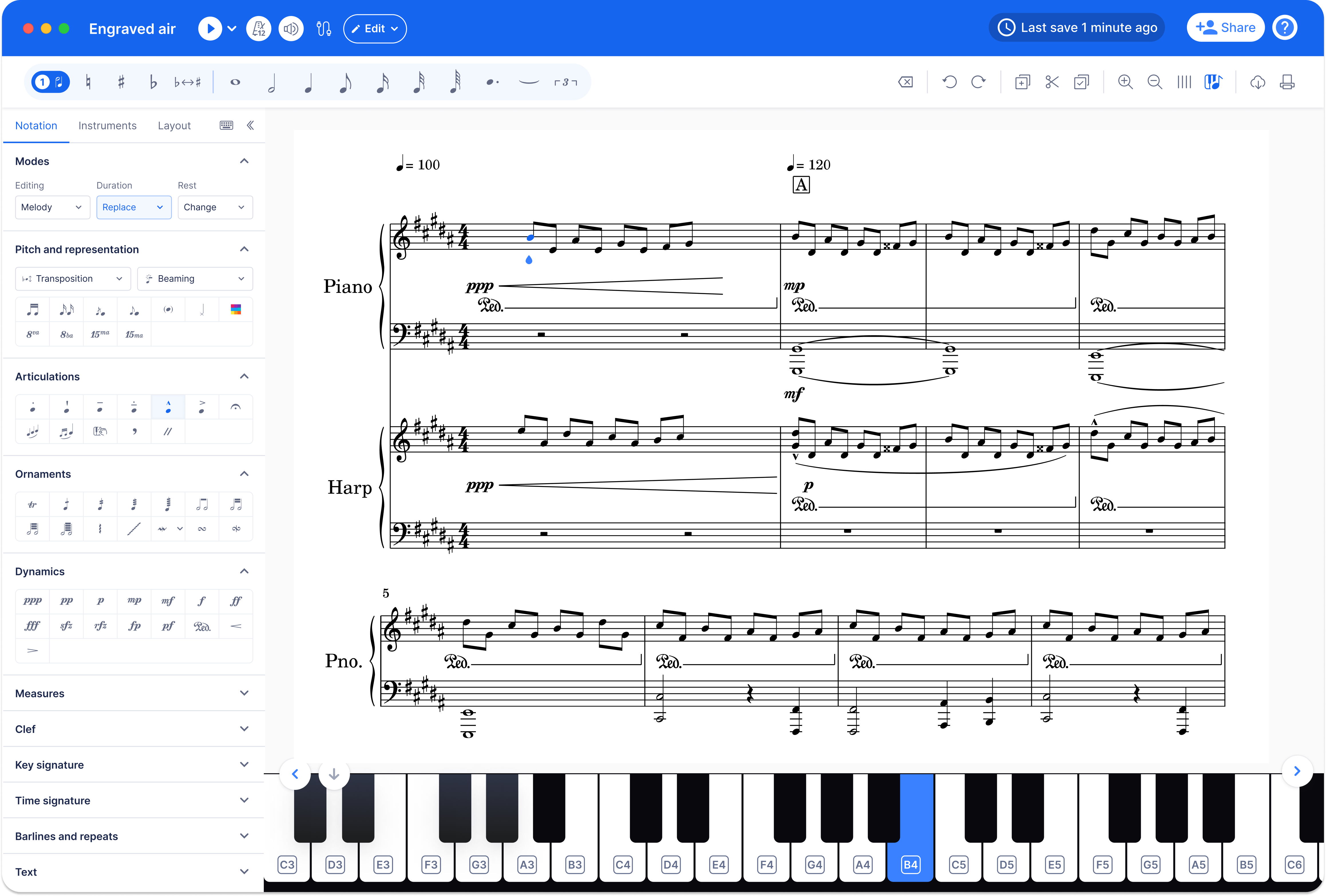
The gap between MIDI and notation is wider than it looks. A MIDI file tells a DAW which notes to play. It does not tell a reader the key, the time signature, the beaming, the enharmonic spelling, or which notes belong in the treble staff and which in the bass. A piano transcription exported as raw MIDI often arrives as two undifferentiated tracks that a notation program will render as an unreadable mess of ledger lines.
So the honest summary: Luna 3.0 shortens the path from audio to editable data. It does not shorten the path from audio to a printable score, unless you are willing to do the notation cleanup yourself.
Where it does not apply
If you need a PDF or MusicXML that opens cleanly in MuseScore, Sibelius, Dorico or Finale, a DAW-native tool is not the end of that pipeline. It is the middle of it. You still need a notation step, and that step is where most of the musical judgment lives: deciding what the part actually is, not just which frequencies moved.
The other limit is instrument coverage. Four stems covering drums, vocals, bass and other will not isolate a Rhodes comping under a wall of guitars. Six stems helps for guitar and piano, but a piano part doubled by a synth pad is still one blob. This is not a knock on Luna specifically. It is how separation works everywhere.
Our view
This is the right direction and the wrong finish line, and both halves of that are worth saying.
The right direction: transcription tools belong where the music already is. Every step that forces you to export a WAV, upload it, wait, and download a stem is a step where people give up. A DAW that splits stems natively will get used by people who would never have opened a browser tab for it. That is good for the field.
The wrong finish line: stem separation and MIDI extraction are inputs to transcription, not transcription. The press framing tends to blur these together, and the blur costs you time. You will get a bass stem and a MIDI bass line, and you will still have to decide whether that line is written in eighth notes with a swing feel or sixteenths with a straight feel. No model answers that for you, because it is a notation convention, not a signal.
Two open questions we cannot answer from the announcement:
- How the Moises-developed chord extraction handles extensions and inversions. Chord symbols like Cmaj7 versus C6 versus Am7/C are the same notes and different instructions to a player. A tool that flattens them is a sketch, not a chart.
- Whether the audio-to-MIDI output is monophonic-friendly or polyphonic. For a bass line or a single-note melody, either is fine. For a piano comp, polyphonic accuracy is the whole game, and it varies enormously with the recording.
Who should care most: producers and remixers who want to pull a part out of a reference track, and players learning by ear who want to loop a stem instead of fighting the full mix. Teachers building exercises from recordings will find the stem splitter useful and the chord extraction useful as a starting point.
Who should not expect a shortcut: anyone who needs a score to hand to a session player, a student, or a congregation. That still runs through a notation program, and it still needs a human to check the spelling, the rhythms and the page turns.
What to do next
If you work in Luna, update and try the splitter on a track you already know well. Judge it on the stems you care about, not the demo material.
If your goal is a readable score rather than MIDI data, the pipeline is: separate the stems, transcribe the part, then export in a format the notation software accepts. We do that end to end: upload audio, get back PDF, MusicXML and MIDI, with drums, piano, bass and guitar each handled by their own model. Start with transcribe a song or read pricing and plans to see the shape of the offer. If you only need the symbolic data, the audio to MIDI converter is the shorter route.
One reminder that applies whatever tool you use: a transcription of a copyrighted song is a derivative work. Check with the rights holder or your local licensing body before you distribute, sell or perform it. The rules differ by country.
And keep the ear in the loop. Automatic transcription is a first draft. The edit is where the part becomes correct.