Scoring Notes has taken a first look at Flat, the browser notation editor that has spent the past year growing in two directions at once. Flat has been a web app since 2015, and this year it shipped Mac and Windows desktop apps, built its own optical music recognition engine to replace a third-party one, and released that engine as a standalone app called Opuscan, which can send its results out to other notation programs and DAWs. The piece is a first look rather than a test: Scoring Notes says it has not run its own files through the desktop app, the score import, or Opuscan, and drew on material supplied by Flat. Read the original article for the details.
That is a lot of movement for a product most working musicians file under "the one in the browser." If you want notation out of existing music, whether that music is a printed page or a recording, two of those three moves touch your workflow directly.
Why this matters if you need a score out of something
There are two doors into a score. One is a printed page: you scan it and the software reads the notation. The other is a recording: you listen, or a machine listens, and the notes get written down. Flat has been pushing hard on the first door and has only just acknowledged the second.
The scanning side is the news. Flat introduced PDF and photo import in September 2025 using a third-party recognition engine it has never named. Its CTO described the problem with that arrangement plainly: when recognition worked, it worked well, but when it failed, or a score was not supported, Flat could not explain why to the user or tell which failures would get fixed. That is the classic outsourcing trap, and it is a real one. If you cannot see inside the engine, you cannot improve it, and you cannot tell a customer whether their specific page is a lost cause.
So in early 2026 Flat built its own. The first version landed June 1, an accuracy update June 15, a blog post June 17, and better page analysis for dense and orchestral layouts June 23. Flat's changelog gives figures for those updates, including a 39 percent improvement in dynamics recognition and a 22 percent improvement in note-duration accuracy in the mid-June release. Those are Flat's own measurements, and we have not run them against our own files. Treat vendor accuracy numbers as a direction of travel, not a spec sheet.
The desktop apps arrived in May. Both are free downloads from the Mac App Store and Microsoft Store, and you do not need an account to start. The editor is the web editor with selected parts rebuilt natively, including system text fonts and macOS Spotlight integration so cloud scores show up in a system search. Native CoreAudio playback has been prototyped but has not shipped. Higher-quality desktop soundfonts were promised in May and, as of the article, still have not arrived.
The reason for a desktop app is storage. Web platforms limit persistent storage, so a browser editor cannot reliably hold a large library offline. The desktop editor works offline and keeps scores on your machine. With a paid plan, changes sync across desktop, browser and mobile when you reconnect, and real-time collaboration works on all three while you are online. Version history is still browser-only: the cloud keeps every individual change, but the desktop app retains only the most recent state offline.
What changes in practice
For anyone working from printed music, the practical change is that a browser tab is no longer the only place Flat lives, and the recognition engine is now something Flat can iterate on rather than wait on. An engine you own is an engine you can fix, and the June changelog is the first evidence of that.
For anyone working from recordings, almost nothing changes. Flat says audio-to-notation is in development with no release date. That is the honest position to take, and it is worth being clear about why the two problems are not the same.
| Optical music recognition (scanning) | Audio transcription | |
|---|---|---|
| Input | Printed or photographed score | A recording |
| What the machine reads | Symbols on a page | Sound |
| Main difficulty | Layout, dense and orchestral pages, dynamics | Mix density, bleed, tuning, timing feel |
| Typical failure | Misread rhythm, dropped dynamic | Wrong bass note under a loud snare |
| Where it fits | Recovering an existing edition | Learning a part that was never written down |
A scanner reads what a publisher already engraved. A transcriber reconstructs what a player played, and those are different jobs with different failure modes. If you have a clean printed edition, scanning is faster and more accurate than any ear, human or machine. If the part you want was never printed, or the recording departs from the printed page, you are in the second column and a scanner will not help you.
Our view
The interesting part of this story is not the desktop app. It is the decision to own the recognition engine. Flat's own account of the third-party years is the argument: an opaque engine that fails silently is worse than a slower engine you can diagnose. That reasoning applies to audio transcription just as much as it applies to scanning, and it is the reason we build separate models for drums, piano, bass and guitar rather than one model that guesses at everything.
Two things we would want to see before calling any of this settled. First, independent testing. Vendor accuracy figures measured on vendor-chosen files tell you the engine improved, not that it handles your material. Dense piano scores, hand-written charts and nineteenth-century engraving are all different problems. Second, the offline story. Recognition runs in the cloud, so a PDF import still needs a connection even in the desktop app. For a touring player or a teacher in a room with bad wifi, that matters more than the app icon.
On the notation editor itself, Flat is candid: it does not have the depth of control over spacing, beaming and page appearance that Sibelius and Dorico offer, and its own comparison pages say so, leaning instead on collaboration, access from anywhere and a shorter learning curve. Believe that. If you are preparing a publication-grade engraving, you will finish it somewhere else. If you are writing charts for a rehearsal, sharing them with a band, and editing on whatever device is in front of you, the trade is reasonable.
Who should care: teachers and schools running Flat for Education, which has integrations with Google Workspace, Microsoft 365 and Canvas, and which got its own desktop app in August. Arrangers who receive PDFs from clients and want them editable. Anyone who has been retyping a printed lead sheet by hand. If your work starts from a recording, this news is a placeholder: note that audio-to-notation is on the roadmap, and keep using the tools that already do it.
What to do next
If you have a printed score you want in an editable file, try the scan path and check the export. Flat handles MusicXML and MIDI import and export on the free tier, so a score can move into MuseScore, Sibelius, Dorico or Finale, or a MIDI file can open in any DAW. Expect cleanup after import: beaming, spacing and layout are the usual casualties when notation crosses programs. If you want to see what a finished transcription looks like before you commit time to one, browse Explore transcriptions for shared examples across instruments.
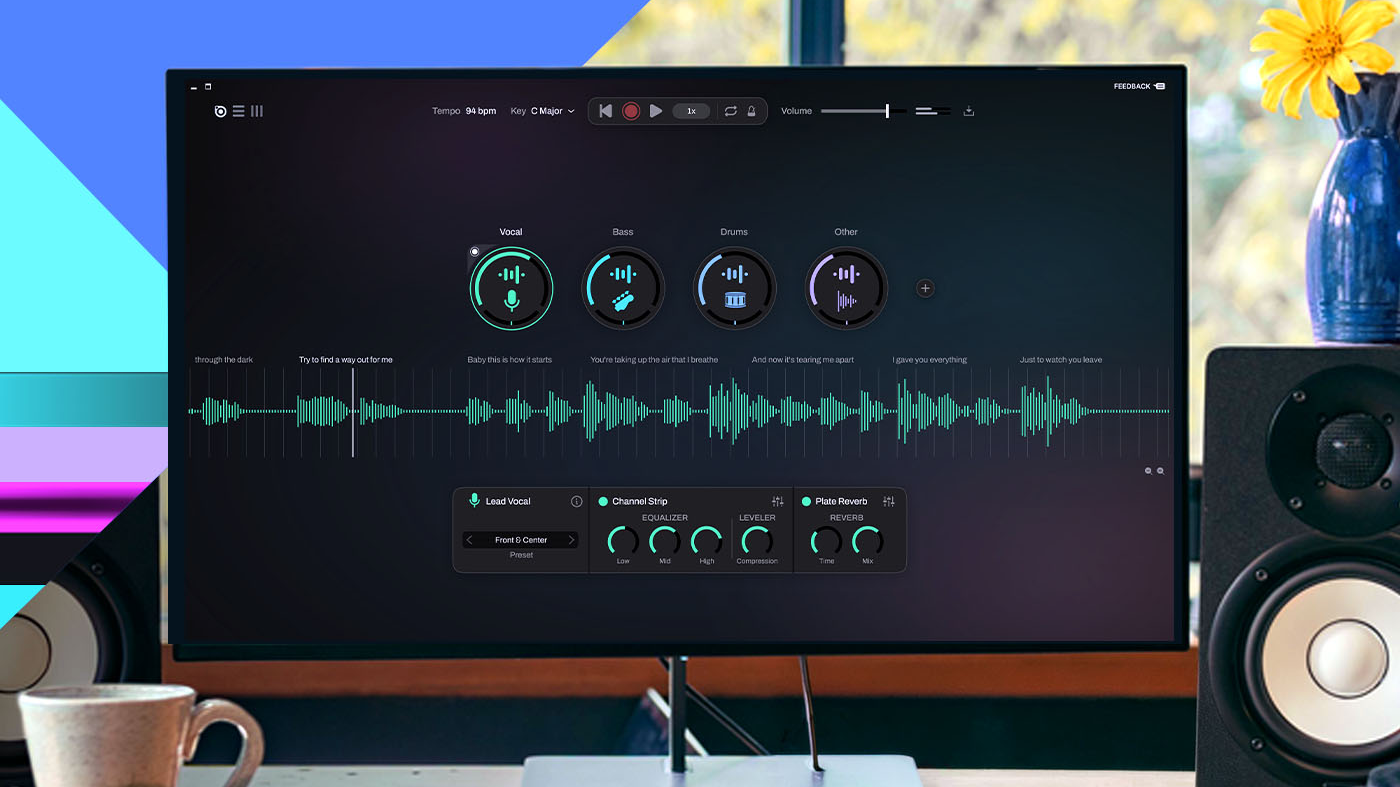
If your source is a recording, scanning is the wrong door. Start with the audio. On a busy mix, separate first: pulling vocals, drums, bass and the rest apart means the transcription model hears one instrument instead of five, and that is usually the difference between a usable draft and a mess. Our stem splitter does that, and the audio to MIDI converter is the shortest route if you want the part in a DAW rather than on a page. When you want notation, transcribe a song and you get PDF, MusicXML and MIDI back, editable in whatever program you already use.
Two honest cautions. Automatic transcription is a first draft, not a finished score. Recording quality, how busy the mix is, the instrument and whether you separated stems first all move the result, and a good ear still finishes the job. And a transcription of a copyrighted song is a derivative work: do not distribute, sell or perform the result without checking with the rights holder or your local licensing body. The rules differ by country.
If you are weighing plans, the shape of the offer is what matters rather than the numbers, which change: a free tier with a score limit and a logo on exports, a paid tier that removes both and syncs your library across devices, and a separate education product. See pricing and plans for the current figures.
Flat's browser-to-desktop move is a sensible answer to a real limitation, and owning its recognition engine is the more consequential decision. The audio side is still a promise. If you need a score from a recording today, that promise does not help you yet.
Sources
- Flat sharpens a natural approach to platform-agnostic music notation software (Scoring Notes, September 22, 2026)
- Luna 3.0 Adds Stem Separation and Chord Extraction